Working with Color

Ibrahim Habib
Mohamed Essam
Zeyad Mohamed
Youssef Mahmoud
Youssef Ahmed

2026-04-11

1 Ditch hex for HSL

1.1 Why RGB is used?

  • RGB is based on the additive color model
  • It is simple for usage in digital displays
  • The human eye perceives color through three types of cone photoreceptors
    • S(short wavelengths) for blue
    • M(medium wavelengths) for green
    • L(long wavelengths) for red

1.2 The problem with RGB

What color are these?

#9FB9ED

#9FB9ED

#507DD7

#507DD7

#03369E

#03369E

  • RGB is not intuitive
  • Built for human eye, not brain

1.3 The Solution: HSL

Instead of describing colors using RGB components, use:

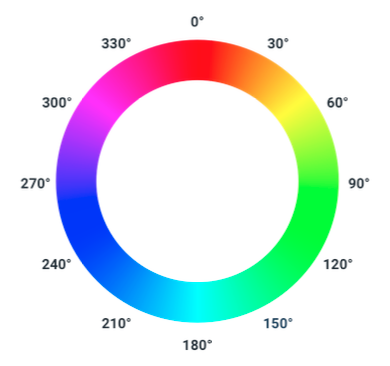
  • Hue: the type of color (0-360 degrees on the color wheel)
  • Saturation: the intensity of the color (0-100%)
  • Lightness: the brightness of the color (0-100%)

1.4 The Color Circle (Hue)

The Color Circle

1.5 Saturation
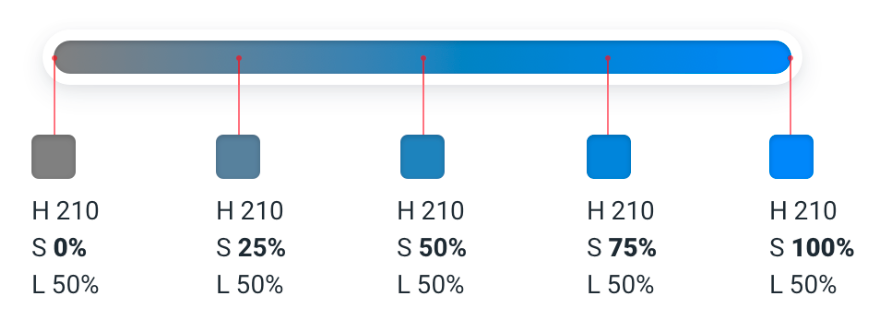
Saturation

1.6 Lightness
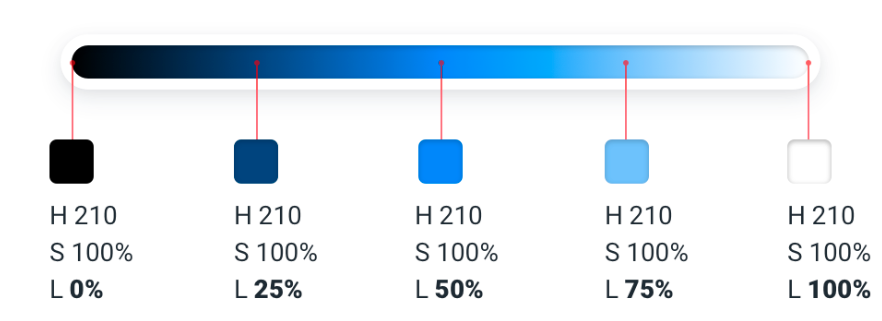
Lightness

1.7 Revisiting the Problem

What color are these?

hsl(220, 69%, 80%)

hsl(220, 69%, 80%)

hsl(220, 65%, 61%)

hsl(220, 65%, 61%)

hsl(220, 95%, 34%)

hsl(220, 95%, 34%)

2 You need more colors than you think

2.1 The Problem with Palette Generators

You can’t do anything with only 5 colors

Sample Palette

2.2 The Problem with Palette Generators
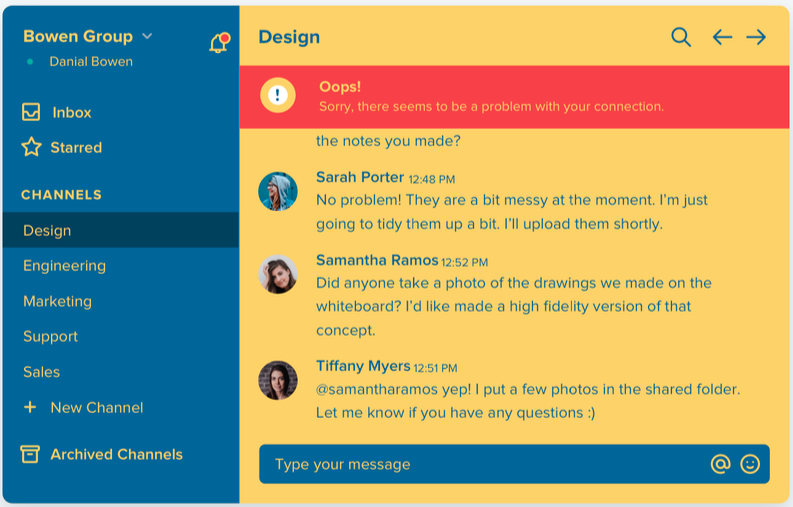
Website using the palette

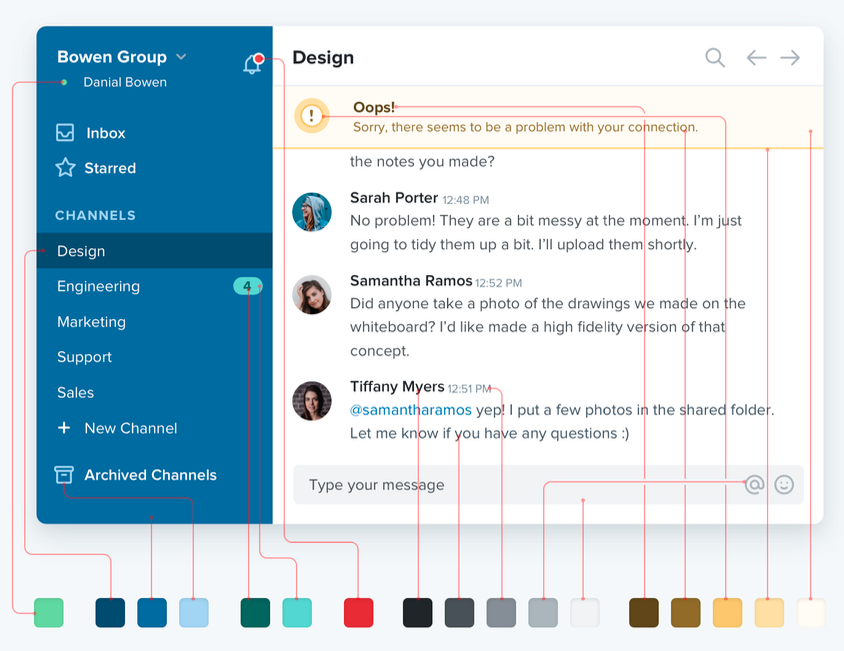
2.3 A Good Color Palette has:

  • Grey: text, backgrounds, panels
  • Primary Color(s): main color for buttons, links, highlights
  • Accent Color(s): communicates different types of information (e.g. success, error, warning)

2.4 Using the Larger Palette

Larger Palette

3 Define Your Shades Upfront

3.1 Why shades are important?

  • They provide consistency across the design
  • They allow for better accessibility
  • Helpful to convey different states (e.g. hover, active, disabled)

3.2 Step 1: Define Your Base Color

Base Color Selection

3.3 Step 2: Find the Edges

The dark color for text and the light color for backgrounds
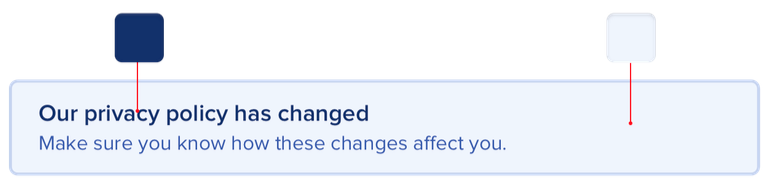
3.4 Step 3: Fill in the Gaps

Filling in the Gaps

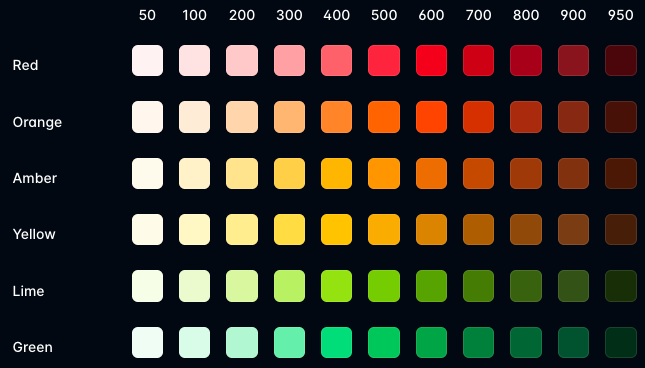
3.5 Alternative: Tailwind’s Color System

Tailwind Colors

4 Don’t let lightness kill your saturation

4.1 Effect of lightness on saturation

  • In HSL, as lightness closes to 0% (black) or 100% (white), the saturation effect is weaker
  • The same saturation value at 50% lightness looks more colorful than it does at 90% lightness

4.2 Solution

Increase saturation as lightness moves away from 50%
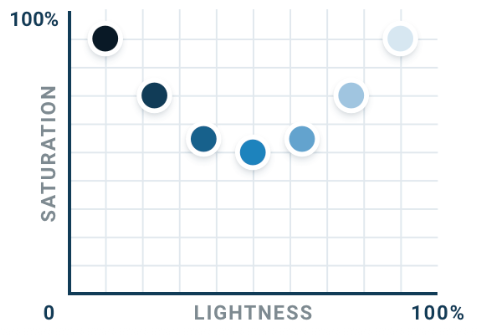
Lightness vs Saturation

5 Greys don’t have to be grey

5.1 What is a grey?

  • In theory, true grey has a saturation of 0%
  • It doesn’t have any actual color in it at all
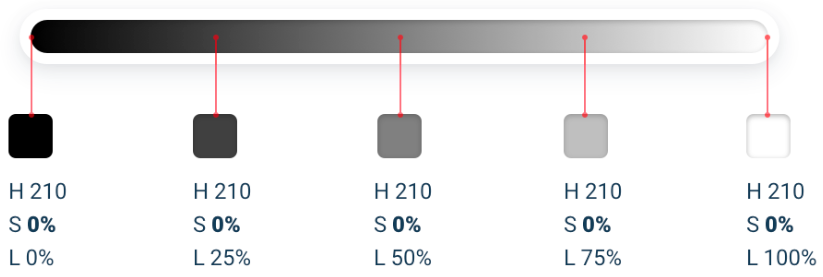
Grey Scale

5.2 Not all greys are colorless

  • In practice many colors that we consider grey have a slight hue and saturation to them
  • The saturation makes some greys feel cool or warm

5.3 Cool Greys

If you want your greys to feel cool, saturate them with a bit of blue
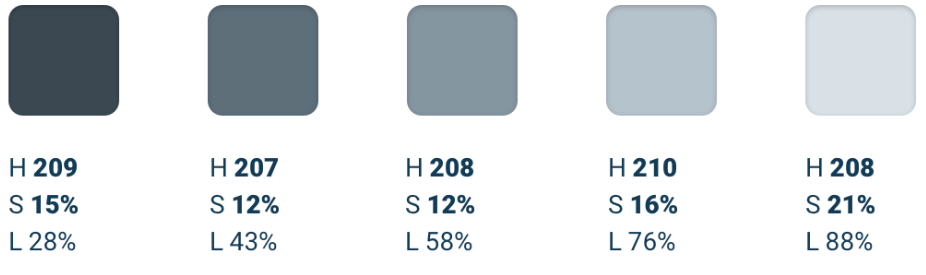
Cool Greys

5.4 Warm Greys

If you want your greys to feel warm, saturate them with a bit of yellow or orange
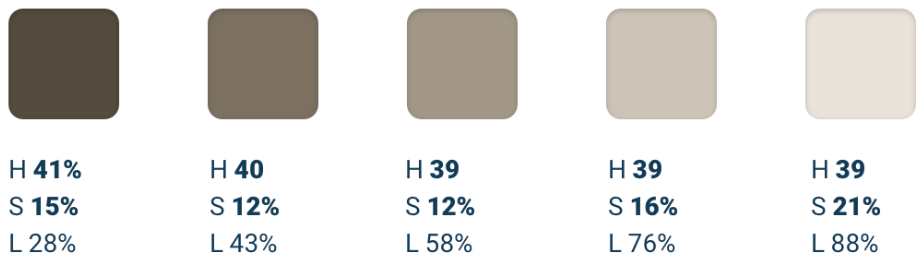
Warm Greys

6 Don’t rely on color alone

6.1 Why relying on color alone is a problem?

  • It can be inaccessible to people with color vision problems
  • It can be difficult to distinguish between colors in certain lighting conditions
  • Redundancy can help reinforce the message and make it more clear

6.2 Example of red-green color blindness
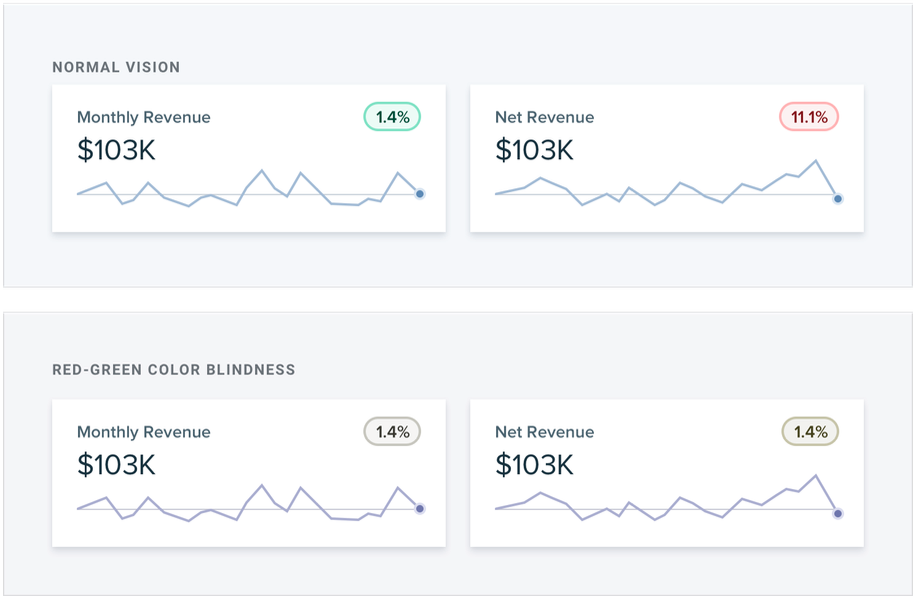
Red-Green Color Blindness

6.3 Solution: Add icons
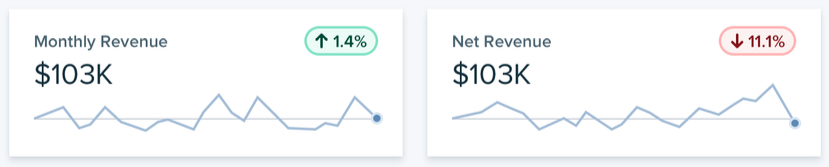
Up or Down Arrows

6.4 Problem with Varying Hue
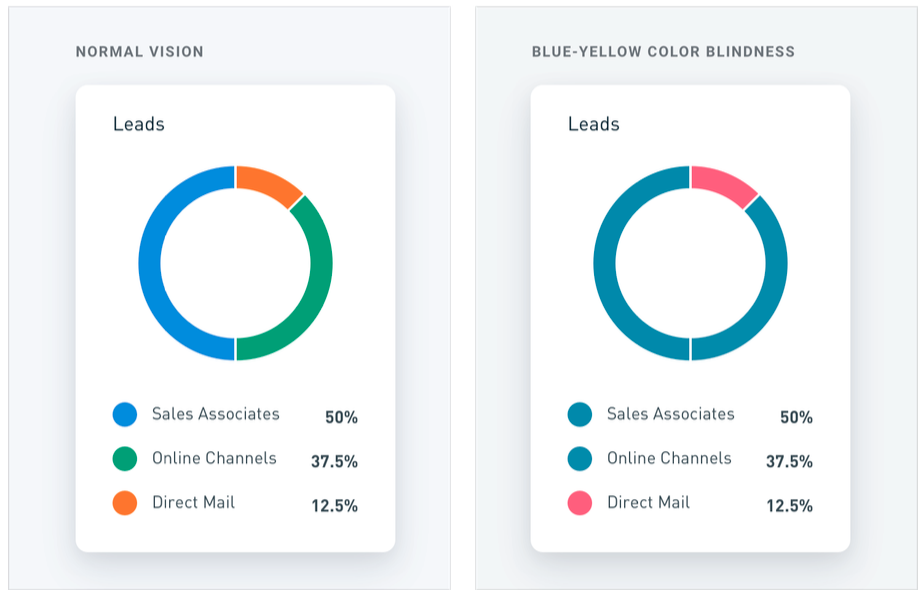
Blue-Yellow Color Blindness

6.5 Solution: Use Different Shades
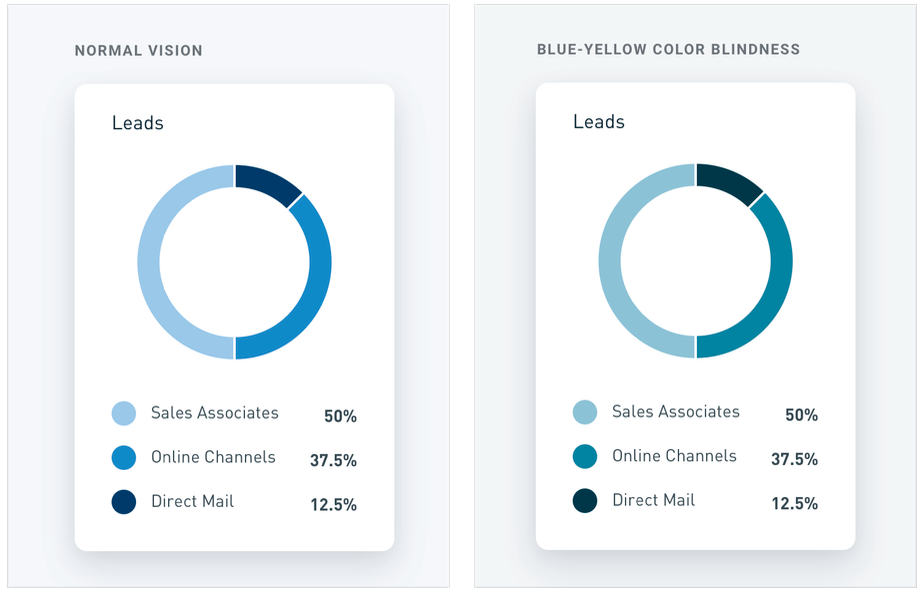
Fixed Chart

Q and A

Any questions?